|
CSV File Export Utility |

|

|

|
|
CSV File Export Utility |
|
|
|
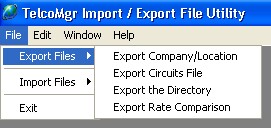
The TelcoMgr File Import / Export Utility is a standalone application that is designed to export selected TelcoMgr databases as text or comma separated value (CSV) files. CSV files are compatible with most versions of Microsoft's Excel(r) spreadsheet application.
The following files are available for export:
| • | Company or Location file |
| • | Circuits file |
| • | Rate Comparison file |
| • | Directory file |
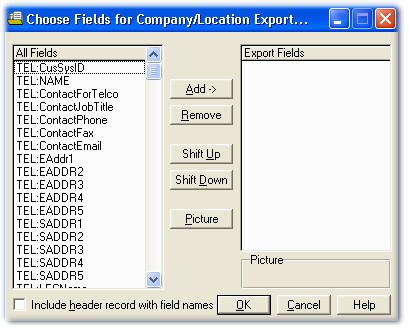
The entire file is exported. The user may select specific fields for export. The field order from top to bottom relates to the export files left to right columns in Excel.
The [Picture] button relates to a field that has been [Add->] to the right Export Field window. Use this button to modify the appearance of TelcoMgr's raw data before it is exported. For example, a phone number may appear as 6265767470; use the [Picture] button to format the data picture as ###-###-####.
User Tip: Export a TelcoMgr Locaton, Circuits and/or Directory file as a Comma Separated Value (CSV) file to create a file template for importing data.
User Tip: IMPORT THE LOCATION FILE FIRST SO TELCOMGR CAN CREATE THE CUSTOMER SYSTEM ID (CusSysID) number automatically. The appropriate CusSysID must appear in each record that is imported into the CIRCUITS and DIRECTORY files.
User Tip: Do not import data into [RESERVED]fields.
Page url: http://www.telcomgr.com/index.html?userfileexportutility.htm

